
Android SDK (Kotlin)
The official Conferbot SDK for Kotlin and Java apps. It ships three integration patterns - XML Views, Jetpack Compose, and a fully headless mode built on Kotlin StateFlow - plus the same floating chat bubble as the web widget, server-driven theming, real-time Socket.IO messaging, live agent handover, offline queueing, Room-backed session persistence, and FCM push notifications. Published on Maven Central as com.conferbot:android-sdk.
Requirements
| Requirement | Minimum |
|---|---|
| Android | 5.0 (API 21) |
| Kotlin | 1.9 |
| Java | 17 (SDK compiles with jvmTarget 17) |
| Compile SDK | 34 |
Jetpack Compose must be enabled in your app module if you want the Compose UI or the floating widget; the XML ChatActivity path works without any Compose code of your own.
Installation
Add the Maven Central repository (if not already present) and the SDK dependency. The published coordinates are com.conferbot:android-sdk:1.0.0.
dependencyResolutionManagement {
    repositories {
        google()
        mavenCentral()
    }
}dependencies {
implementation 'com.conferbot:android-sdk:1.0.0'
}Or with the Kotlin DSL:
dependencies {
    implementation("com.conferbot:android-sdk:1.0.0")
}
Sync Gradle after adding the dependency. The SDK bundles Socket.IO, Retrofit/OkHttp, Room, Coil/Glide, Compose Material 3, and firebase-messaging-ktx as transitive dependencies. Make sure your app declares the Internet permission:
<uses-permission android:name="android.permission.INTERNET" />Initialization
The SDK is a process-wide singleton (object Conferbot). Call Conferbot.initialize() exactly once, in your Application class:
import android.app.Application
import com.conferbot.sdk.core.Conferbot
import com.conferbot.sdk.models.ConferBotConfig

class MyApplication : Application() {
    override fun onCreate() {
        super.onCreate()

        Conferbot.initialize(
            context = this,
            apiKey = "conf_test_key",   // any conf_ placeholder works
            botId = "YOUR_BOT_ID",      // the real credential
            config = ConferBotConfig(
                enableNotifications = true,
                enableOfflineMode = true
            )
        )
    }
}
Register the Application class in AndroidManifest.xml:
<application
    android:name=".MyApplication"
    ...>
</application>
Credentials: the bot ID is the credential
The SDK needs a bot ID - the 24-character hex ID from Bot Settings > General in the Conferbot Dashboard. The bot ID is what actually selects and loads your bot. The apiKey parameter is only validated locally (non-blank, at least 8 characters) - any placeholder in the conf_ format works, for example conf_test_key.
Not your REST API key
Never paste your management REST API key into the mobile SDK. The SDK talks to the widget delivery service at https://wdt.conferbot.com (REST + Socket.IO), which is separate from the management REST API at api-v2.conferbot.com - no x-api-key headers, no API quota. And make sure the bot is published: draft flows are not served to the SDK.
Try it without an account
The public demo bot ID 691c970890527a0468f9b2c9 works without a Conferbot account - drop it into the snippet above with conf_test_key to evaluate the SDK immediately.
What happens on initialize
- The REST client and Socket.IO client are created against
https://wdt.conferbot.com - With
autoConnect = true(the default) the socket connects and requests the bot's flow, so the first open is instant - The node flow engine, offline queue, notification components, and analytics are wired up
- A stable anonymous visitor ID is generated and stored in SharedPreferences
ConferBotConfig
| Parameter | Type | Default | Description |
|---|---|---|---|
enableNotifications | Boolean | true | Enable FCM push notification handling |
enableOfflineMode | Boolean | true | Queue messages while offline |
autoConnect | Boolean | true | Connect the socket automatically on initialize |
reconnectionAttempts | Int? | null (5) | Max socket reconnection attempts |
reconnectionDelay | Int? | null (1000 ms) | Delay between reconnection attempts |
Already initialized?
initialize() throws IllegalStateException if called twice. Call Conferbot.disconnect() before re-initializing (for example when switching bots after login).
The full signature also accepts customization, user, baseUrl, socketUrl, and paginationConfig - everything after botId is optional:
fun initialize(
    context: Context,
    apiKey: String,
    botId: String,
    config: ConferBotConfig = ConferBotConfig(),
    customization: ConferBotCustomization? = null,
    user: ConferBotUser? = null,
    baseUrl: String? = null,
    socketUrl: String? = null,
    paginationConfig: PaginationConfig = PaginationConfig()
)
Floating Widget (FAB)
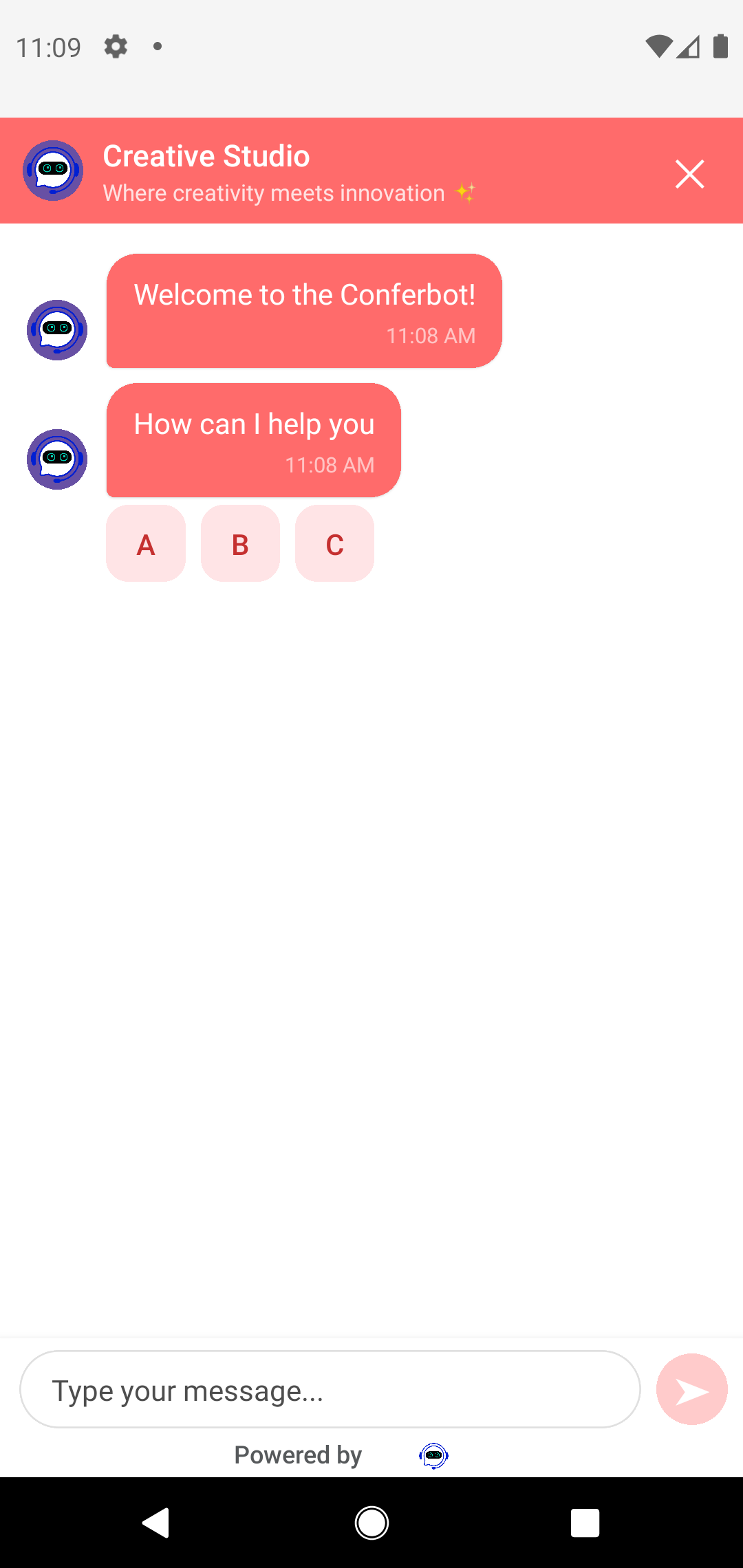
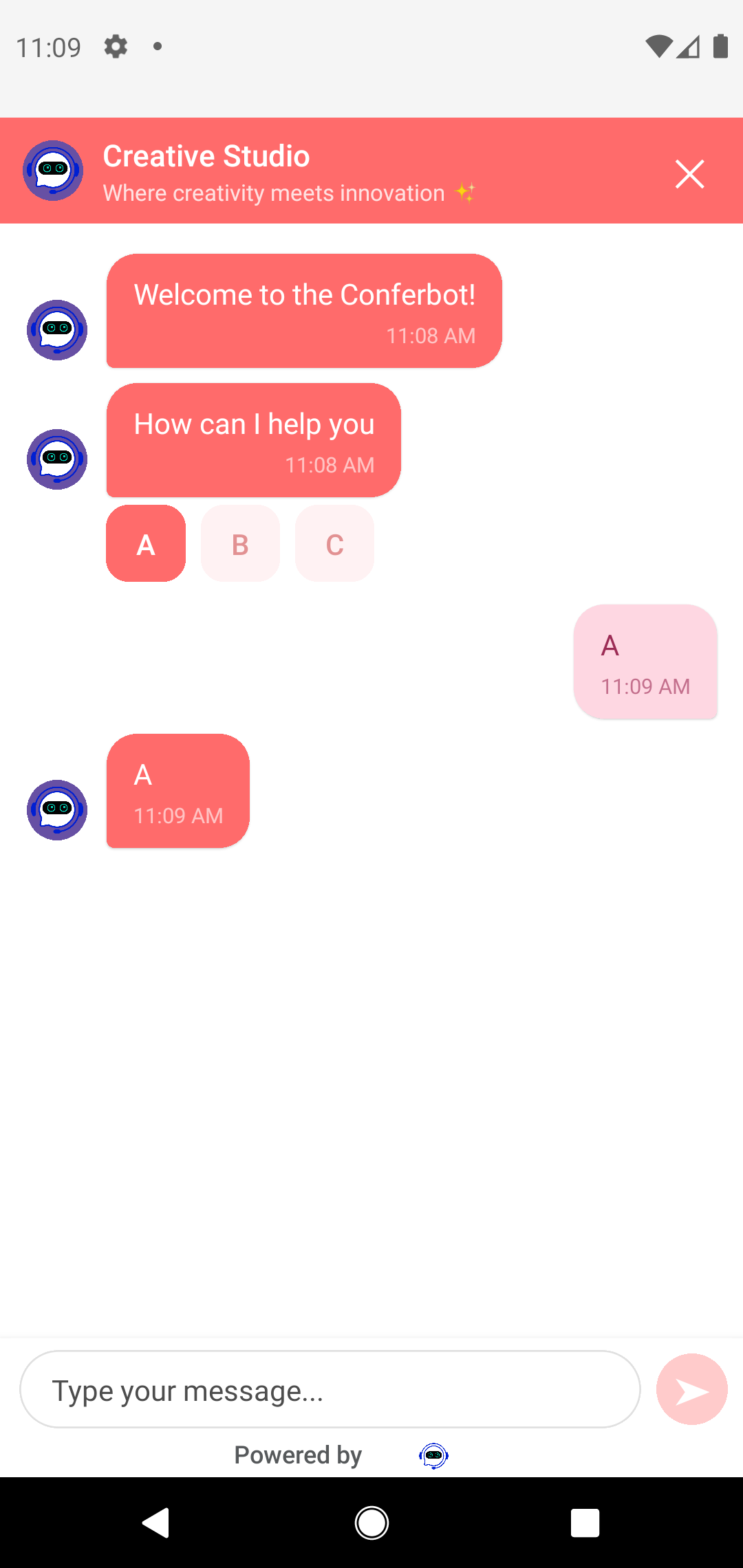
The recommended pattern for most apps - it mirrors the Conferbot web widget: a bubble in the bottom corner that opens the chat as an animated bottom sheet (88% screen height) with a tap-to-dismiss scrim. The bubble shows an unread badge and the dashboard's CTA tooltip (auto-shown 2 seconds after mount), and reads server customizations automatically: color, icon, size, corner radius, position, and edge offsets.
import androidx.activity.ComponentActivity
import androidx.activity.compose.setContent
import com.conferbot.sdk.ui.compose.ConferBotWidget
import com.conferbot.sdk.ui.compose.ConferBotWidgetScope

class MainActivity : ComponentActivity() {
    override fun onCreate(savedInstanceState: Bundle?) {
        super.onCreate(savedInstanceState)
        setContent {
            MyAppTheme {
                // Option A: wrap your app content
                ConferBotWidgetScope {
                    MyMainScreen()
                }
            }
        }
    }
}

// Option B: place it yourself in a Box
@Composable
fun MyApp() {
    Box(Modifier.fillMaxSize()) {
        MyMainScreen()
        ConferBotWidget()
    }
}
Local fallback configuration
ConferBotWidgetConfig provides defaults for anything the dashboard does not set. Server values always win, attribute by attribute:
import androidx.compose.ui.graphics.Color
import androidx.compose.ui.unit.dp
import com.conferbot.sdk.ui.compose.ConferBotWidgetConfig
import com.conferbot.sdk.ui.compose.WidgetPosition

ConferBotWidget(
    config = ConferBotWidgetConfig(
        position = WidgetPosition.BOTTOM_RIGHT,  // or BOTTOM_LEFT
        size = 50.dp,
        offsetX = 10.dp,
        offsetY = 10.dp,
        backgroundColor = Color(0xFF1B55F3),
        showUnreadBadge = true,
        borderRadius = null                      // null = fully circular
    )
)
Per-attribute resolution order (server first, then local config):
| Attribute | Resolution order |
|---|---|
| FAB color | widgetIconBgColor > headerBgColor > config.backgroundColor > default brand blue |
| Size | widgetSize > config.size |
| Position | widgetPosition ("left"/"right") > config.position |
| Horizontal offset | widgetOffsetLeft/widgetOffsetRight > config.offsetX |
| Vertical offset | widgetOffsetBottom > config.offsetY |
| Corner radius | widgetBorderRadius > config.borderRadius > size / 2 |
| Icon | widgetIconSVG (WidgetBubbleIcon1..15) > default bubble |
| CTA tooltip | chatIconCtaText (shown 2 s after mount, dismissed on tap or open) |
XML apps
There is no XML-Views version of the floating bubble. In an XML app, host the composable in a ComposeView inside your layout, or wire your own FloatingActionButton to Conferbot.openChat(this). Note that showUnreadBadge is purely local (no server counterpart).
Opening Chat Programmatically
Full-screen Activity (zero Compose required)
Creates a session if needed and launches the SDK's built-in ChatActivity (com.conferbot.sdk.ui.views.ChatActivity) as a new task. This Activity honors the ConferBotCustomization passed to initialize():
import com.conferbot.sdk.core.Conferbot

Conferbot.openChat(this)
Embedded Compose screen
Use this when the chat is a destination in your own navigation graph. It initializes the session on first composition and renders the paginated message list, node interactions (choices, forms, calendars, surveys), status banners, and the input bar:
import androidx.compose.runtime.*
import com.conferbot.sdk.ui.compose.ConferBotChatScreen

@Composable
fun SupportScreen() {
    var showChat by remember { mutableStateOf(false) }

    Button(onClick = { showChat = true }) {
        Text("Chat with us")
    }

    if (showChat) {
        ConferBotChatScreen(
            onDismiss = { showChat = false }
        )
    }
}
Themed variants
import com.conferbot.sdk.ui.compose.ConferBotChatView
import com.conferbot.sdk.ui.compose.ConferBotThemedChatScreen

ConferBotChatView(theme = myTheme)                       // single fixed theme
ConferBotChatView(lightTheme = myLight, darkTheme = myDark, useDarkTheme = null)
ConferBotThemedChatScreen(onDismiss = { /* ... */ })     // modal with dismiss
Headless (custom UI)
Every piece of state is exposed as Kotlin StateFlow on the Conferbot singleton - build your own UI on top:
import androidx.compose.runtime.collectAsState
import com.conferbot.sdk.core.Conferbot

@Composable
fun CustomChat() {
    val messages by Conferbot.record.collectAsState()
    val isAgentTyping by Conferbot.isAgentTyping.collectAsState()
    val isConnected by Conferbot.isConnected.collectAsState()
    val isOnline by Conferbot.isOnline.collectAsState()

    Column {
        if (!isOnline) OfflineChip()
        LazyColumn(Modifier.weight(1f)) {
            items(messages) { item -> MyBubble(item) }
            if (isAgentTyping) item { MyTypingDots() }
        }
        MyInput(onSend = { Conferbot.sendMessage(it) })
    }
}
Start the session yourself with the suspend function Conferbot.initializeSession() (returns Boolean) if no session exists, then drive the conversation programmatically:
Conferbot.sendMessage("Hello from my custom UI")
Conferbot.sendTypingStatus(true)
Conferbot.initiateHandover(message = "I need help with billing")
Conferbot.endChat()
Conferbot.resetUnreadCount()

// Pagination: when the user scrolls near the top
if (Conferbot.hasMoreMessages()) {
    Conferbot.loadMoreMessages()
}
record is a StateFlow<List<RecordItem>>; RecordItem is a sealed hierarchy covering bot messages, user messages, user input responses, agent messages, and node payloads - render with a when over its subtypes. Interactive flow nodes are exposed through Conferbot.flowEngine (currentUIState, isProcessing, submitResponse(response)).
User Identification
By default visitors are anonymous (a generated visitor ID persisted on the device). Attach identity so dashboard conversations show who you are talking to - pass a ConferBotUser at initialization, or call identify() before the first session is created:
import com.conferbot.sdk.models.ConferBotUser

Conferbot.identify(
    ConferBotUser(
        id = "user-123",              // required
        name = "Jane Doe",
        email = "[email protected]",
        phone = "+1234567890",
        metadata = mapOf(
            "plan" to "premium",
            "signupDate" to "2024-01-15"
        )
    )
)Timing matters
The user ID is sent when the chat session is created (the SDK calls initSession(userId = user?.id)), so identify the user before the chat is opened. Calling identify() after a session exists updates the SDK's local user but does not retroactively re-tag the running session.
A typical login/logout flow:
fun onLoggedIn(user: MyUser) {
    Conferbot.identify(ConferBotUser(id = user.id, name = user.name, email = user.email))
}

fun onLoggedOut() {
    Conferbot.clearHistory()        // drop the previous user's local conversation
    Conferbot.unregisterPushToken() // stop routing pushes to this device
}
Theming
Server customizations apply automatically
Everything you configure in the dashboard flow builder's Customize tab - header and bubble colors, chat background (solid, gradient, or image), bot name, avatar, font size, bubble radius, branding/tagline, and all floating-widget settings - is fetched with the bot data and applied by the SDK with no code. The SDK parses customizations into two flows you can also read yourself: Conferbot.serverCustomization (raw values) and Conferbot.serverTheme (a complete ConferbotTheme built from the color values).
Precedence: server beats local
ConferBotChatScreen collects Conferbot.serverTheme and, whenever the server provides a customizations object, wraps the whole chat in that theme - even if you supplied your own via ConferBotChatView or ConferbotThemeProvider. Local themes are fallbacks that only apply when the bot has no server customizations. The floating widget resolves each attribute independently (see the table above), so a dashboard that only sets the widget color still uses your local size and position.
Local themes (Compose)
For granular local control use the ConferbotThemeBuilder:
import androidx.compose.ui.graphics.Color
import androidx.compose.ui.unit.dp
import androidx.compose.ui.unit.sp
import com.conferbot.sdk.ui.compose.ConferBotChatView
import com.conferbot.sdk.ui.theme.ConferbotThemeBuilder
import com.conferbot.sdk.ui.theme.LightTheme

val brandTheme = ConferbotThemeBuilder.create()
    .baseTheme(LightTheme)                 // start from the SDK light theme
    .name("Brand")
    .primaryColor(Color(0xFF6366F1))
    .headerColors(background = Color(0xFF6366F1), text = Color.White)
    .botBubbleColors(background = Color(0xFFF3F4F6), text = Color(0xFF111827))
    .userBubbleColors(background = Color(0xFF6366F1), text = Color.White)
    .inputColors(
        background = Color.White,
        text = Color(0xFF111827),
        border = Color(0xFFE5E7EB)
    )
    .bubbleRadius(16.dp)
    .messageSize(15.sp)
    .build()

// Single theme
ConferBotChatView(theme = brandTheme)

// Or light/dark pair following the system setting
ConferBotChatView(
    lightTheme = brandTheme,
    darkTheme = DarkTheme,
    useDarkTheme = null  // null = follow system
)
The builder also exposes secondaryColor, backgroundColor, surfaceColor, errorColor, agentBubbleColors, fontFamily, text sizes (headerSize, bodySize, messageSize, captionSize, inputSize, buttonSize), corner radii (buttonRadius, cardRadius, inputRadius, imageRadius), spacing, and animation durations. Built-in themes LightTheme and DarkTheme live in com.conferbot.sdk.ui.theme. You can also provide a theme to any SDK composable via ConferbotThemeProvider(theme = brandTheme) { ... }.
Local customization (XML ChatActivity)
The built-in XML ChatActivity (launched by Conferbot.openChat()) reads the ConferBotCustomization passed to initialize(); the Compose UI is themed through ConferbotTheme and the server theme instead:
import com.conferbot.sdk.models.ConferBotCustomization

Conferbot.initialize(
    context = this,
    apiKey = "conf_test_key",
    botId = "YOUR_BOT_ID",
    customization = ConferBotCustomization(
        primaryColor = ConferBotCustomization.parseColor("#FF6B6B"),
        headerTitle = "Customer Support",
        enableAvatar = true,
        botBubbleColor = ConferBotCustomization.parseColor("#0100EC"),
        userBubbleColor = ConferBotCustomization.parseColor("#EDEDED")
    )
)
Header title precedence in the Compose UI: live agent name > server botName > server logoText > "Support Chat".
Live Agent Handover
Conversations can transition from bot to human at any point - either through a handover node in your flow or programmatically:
Conferbot.initiateHandover(message = "I need help with billing")Track the handover through the event listener and state flows. Implement ConferBotEventListener (all methods have default no-op implementations, so override only what you need):
import com.conferbot.sdk.core.Conferbot
import com.conferbot.sdk.core.ConferBotEventListener
import com.conferbot.sdk.models.Agent
import com.conferbot.sdk.models.RecordItem

Conferbot.setEventListener(object : ConferBotEventListener {
    override fun onAgentJoined(agent: Agent) { /* show "Talking to ${agent.name}" */ }
    override fun onAgentLeft(agent: Agent) { }
    override fun onTypingIndicator(isTyping: Boolean) { }
    override fun onMessageReceived(message: RecordItem) { }
    override fun onSessionStarted(sessionId: String) { }
    override fun onSessionEnded(sessionId: String) { }
    override fun onUnreadCountChanged(count: Int) { }
})
In headless UIs, Conferbot.currentAgent (StateFlow<Agent?>), Conferbot.isLiveChatMode, and Conferbot.isAgentTyping expose the live-agent state reactively. For anything not covered by the listener, subscribe to raw Socket.IO events by name (constants in com.conferbot.sdk.models.SocketEvents):
import com.conferbot.sdk.models.SocketEvents
import io.socket.emitter.Emitter

val listener = Emitter.Listener { args -> /* JSONObject payload in args[0] */ }
Conferbot.on(SocketEvents.AGENT_ACCEPTED, listener)
Conferbot.on(SocketEvents.AGENT_MESSAGE, listener)
Conferbot.off(SocketEvents.AGENT_ACCEPTED, listener)
Useful constants: BOT_RESPONSE, AGENT_MESSAGE, AGENT_ACCEPTED, AGENT_LEFT, AGENT_TYPING_STATUS, CHAT_ENDED, NO_AGENTS_AVAILABLE, CONNECT, DISCONNECT, RECONNECT.
Offline & Persistence
Offline queue
With enableOfflineMode = true (the default), outgoing messages are queued in Room while the device is offline and synced automatically when connectivity returns. The built-in UI shows offline/connection/syncing banners automatically. Observe and control the queue yourself:
val isOnline by Conferbot.isOnline.collectAsState()
val pending by Conferbot.pendingMessageCount.collectAsState()
val syncing by Conferbot.isSyncingQueue.collectAsState()

Conferbot.processOfflineQueue()      // force a sync attempt
Conferbot.clearOfflineQueue()        // drop all queued messages
Conferbot.clearCurrentSessionQueue() // drop queued messages for this session
The onQueueSynced(successCount, failCount) callback on ConferBotEventListener fires when a sync completes.
Session persistence
Sessions and messages are persisted in a Room database and survive app restarts. To resume a previous conversation instead of starting fresh:
lifecycleScope.launch {
    if (Conferbot.hasPersistedSession()) {          // suspend fun
        val result = Conferbot.restorePersistedSession()  // suspend fun
        if (result.success) {
            // History is back in Conferbot.record, socket room rejoined,
            // analytics resumed. onSessionStarted fires with the restored ID.
        }
    }
    Conferbot.openChat(this@MainActivity)
}
Conferbot.clearHistory() wipes the local record and persisted session. History loading is paginated; tune it with a PaginationConfig at initialize time:
Conferbot.initialize(
    context = this,
    apiKey = "conf_test_key",
    botId = "YOUR_BOT_ID",
    paginationConfig = PaginationConfig(
        pageSize = 50,
        maxMemoryMessages = 100,
        backgroundMemoryLimit = 50,
        paginationThreshold = 10
    )
)
Push Notifications (FCM)
Deliver agent responses when the app is in the background using Firebase Cloud Messaging. The SDK already depends on firebase-messaging-ktx; you supply the Firebase project (google-services.json plus the com.google.gms.google-services plugin).
Step 1 - register the token after the session starts. Tokens are tied to a session, so register inside onSessionStarted; token refreshes are forwarded automatically once notifications are initialized:
Conferbot.setEventListener(object : ConferBotEventListener {
    override fun onSessionStarted(sessionId: String) {
        FirebaseMessaging.getInstance().token.addOnCompleteListener { task ->
            if (task.isSuccessful) Conferbot.registerPushToken(task.result)
        }
    }
})
Step 2 - forward payloads from your FirebaseMessagingService:
class MyMessagingService : FirebaseMessagingService() {
    override fun onMessageReceived(message: RemoteMessage) {
        if (Conferbot.handlePushNotification(message.data)) return
        // Handle your own notifications
    }

    override fun onNewToken(token: String) {
        Conferbot.registerPushToken(token)
    }
}
handlePushNotification() returns true only for Conferbot payloads (source == "conferbot" or types like new_message, agent_joined, chat_ended, handover_queued), so your other notifications are untouched.
Step 3 (optional) - customize behavior:
import com.conferbot.sdk.notifications.NotificationSettings

Conferbot.updateNotificationSettings(
    NotificationSettings(
        enabled = true,
        soundEnabled = true,
        vibrationEnabled = true,
        showPreview = true,
        showInForeground = false,   // rely on in-app banners while foregrounded
        showNewMessages = true,
        showAgentJoined = true,
        showAgentLeft = true,
        showChatEnded = true,
        showQueueUpdates = true
    )
)

// In-app banners need to know the visible Activity:
override fun onResume() { super.onResume(); Conferbot.setCurrentActivity(this) }
override fun onPause() { Conferbot.setCurrentActivity(null); super.onPause() }

// Deep-link taps into your own chat screen instead of the SDK's:
Conferbot.setNotificationChatActivity(MyChatActivity::class.java)
Additional controls: unregisterPushToken() (call on logout), handleNotificationTap(data), addNotificationListener(listener), and cancelAllNotifications().
Troubleshooting
The bot does not appear / stays blank
- Check the bot is published. Draft flows are not served to the SDK - publish from the flow builder.
- Check the
botId. It must be the 24-character ID from Bot Settings > General. A wrong ID fails silently with an empty chat. - Check connectivity to
wdt.conferbot.com. The SDK needs HTTPS access tohttps://wdt.conferbot.com(REST + Socket.IO). Corporate proxies or firewalls that block WebSockets will prevent messages from flowing. - Try the demo bot. Bot ID
691c970890527a0468f9b2c9works without an account - if it loads, the problem is your bot's ID or publish state, not the integration. - Watch Logcat. Filter by tag
Conferbotfor initialization, session, and socket errors.
Other common issues
IllegalStateException: already initialized - initialize() was called twice. Initialize once in Application.onCreate(), and call disconnect() before re-initializing.
Messages send but nothing comes back - the socket may be connected while the flow failed to start; confirm the bot is published and check for fetched-chatbot-data errors in Logcat.
Minified release builds crash - the SDK ships consumer ProGuard rules; if you still hit issues add:
-keep class com.conferbot.sdk.** { *; }
-keep class io.socket.** { *; }HTTPS only
Custom endpoints set via ConferBotEndpoints.setApiBaseUrl() / setSocketUrl() (for staging or proxy setups) must be HTTPS - http:// URLs are rejected with IllegalArgumentException. Configure them before initialize().
Resources
- GitHub repository - source, example app, and issue tracker
- Full step-by-step usage tutorial - from empty project to themed, push-enabled chat
- Mobile SDKs overview - compare Android, iOS, Flutter, and React Native