
Flutter SDK
Pure-Dart SDK that embeds the full Conferbot chat experience in your iOS and Android Flutter app - no WebView. It ships a drop-in ChatWidget, the same floating chat bubble as the web widget, server-driven theming, live agent handover, offline queueing, session persistence, and a fully headless mode built on a single ConferBotProvider.
Requirements
| Requirement | Version |
|---|---|
| Flutter | >=3.10.0 |
| Dart SDK | >=3.0.0 <4.0.0 |
| Package | conferbot_flutter (pub.dev), current 1.0.0 |
| Platforms | iOS and Android |
The SDK pulls in provider, socket_io_client, Hive, connectivity_plus, and media/voice packages. No manual platform setup is needed for basic chat. Voice recording uses permission_handler - if you enable voice input, declare the microphone permission in your Android manifest and iOS Info.plist as that plugin documents.
Installation
dependencies:
conferbot_flutter: ^1.0.0flutter pub getInitialization
Two things happen at startup: StorageService.init() opens the Hive boxes used for session persistence (on by default), and a single ConferBotProvider is created and shared through the widget tree with the provider package. Create it once at the app root - that keeps one socket and one session for the whole app.
import 'package:flutter/material.dart';
import 'package:provider/provider.dart';
import 'package:conferbot_flutter/conferbot_flutter.dart';

void main() async {
  WidgetsFlutterBinding.ensureInitialized();
  await StorageService.init(); // required for session persistence

  runApp(
    ChangeNotifierProvider(
      create: (_) => ConferBotProvider(
        apiKey: 'conf_test_key',
        botId: '691c970890527a0468f9b2c9', // demo bot - swap for yours
        config: const ConferBotConfig(
          enablePersistence: true,
          sessionTimeout: Duration(minutes: 30),
        ),
      ),
      child: const MyApp(),
    ),
  );
}
The provider connects to https://wdt.conferbot.com over Socket.IO as soon as it is created (autoConnect: true), fetches the bot's flow and customizations, and restores any previous session.
Credentials
The bot ID is the real credential - the 24-character hex ID from Bot Settings > General in the Conferbot Dashboard. It is what selects and loads your bot. The apiKey parameter is only validated locally by the SDK - any placeholder in the conf_ format works (for example conf_test_key). It is not your management REST API key; never paste that here. The bot must be published - draft flows are not served to the SDK.
Try it without an account
The public demo bot ID 691c970890527a0468f9b2c9 works without a Conferbot account - drop it into any snippet on this page (with a placeholder API key such as conf_test_key) to evaluate the SDK immediately. It is the same bot the example app ships with.
Separate from the REST API
The Flutter SDK talks to the widget delivery service at https://wdt.conferbot.com (REST base https://wdt.conferbot.com/api/v1/mobile plus Socket.IO). This is a different product from the management REST API at api-v2.conferbot.com - the SDK does not use x-api-key headers and does not consume API quota.
Floating Widget (FAB)
For web-widget parity - a chat bubble floating at a bottom corner that opens the chat in a draggable modal bottom sheet (92% of screen height). The quickest route is ConferBotFABScope, which creates the provider and overlays the bubble in one widget:
ConferBotFABScope(
  apiKey: 'conf_test_key',
  botId: '691c970890527a0468f9b2c9',
  user: const ConferBotUser(id: 'user-42'),
  child: MaterialApp(home: HomePage()),
)
Full ConferBotFABScope parameters: apiKey, botId, child (required), plus optional fabConfig (ConferBotFABConfig), providerConfig (ConferBotConfig), customization, user, baseUrl, and socketUrl.
ConferBotFAB (bring your own provider)
If you already created a ConferBotProvider, wrap your app content in ConferBotFAB. It must sit below the provider in the tree:
class MyApp extends StatelessWidget {
const MyApp({super.key});
Widget build(BuildContext context) {
return MaterialApp(
home: ChangeNotifierProvider(
create: (_) => ConferBotProvider(
apiKey: 'conf_test_key',
botId: 'YOUR_BOT_ID',
),
child: ConferBotFAB(
// Optional local fallbacks; dashboard settings always win
config: const ConferBotFABConfig(
size: 50.0,
position: FabPosition.right,
offsetX: 10.0,
offsetBottom: 10.0,
),
child: Scaffold(
appBar: AppBar(title: const Text('My Store')),
body: const ProductList(),
),
),
),
);
}
}ConferBotFAB positions itself with a Stack, so wrap the widget that fills the screen (typically the Scaffold). Everything in child renders beneath the bubble. Behavior you get for free:
- Tap opens the chat in a
showModalBottomSheet; the bubble icon animates to an X while the chat is open. - A red unread-count badge appears when bot or agent messages arrive while the chat is closed.
- If the dashboard sets a CTA text (
chatIconCtaText), an animated tooltip slides in next to the bubble after 2 seconds; the user can dismiss it. - The bubble renders the same 15-icon set as the web widget (
WidgetBubbleIcon1throughWidgetBubbleIcon15), painted natively from the dashboard'swidgetIconSVGsetting.
Server-driven bubble appearance: widgetIconBgColor (fallback headerBgColor, default #1B55F3), widgetSize, widgetPosition, widgetOffsetLeft / widgetOffsetRight / widgetOffsetBottom, widgetBorderRadius, widgetIconSVG, and chatIconCtaText are read live from the server and override your ConferBotFABConfig fallbacks.
Opening Chat Programmatically
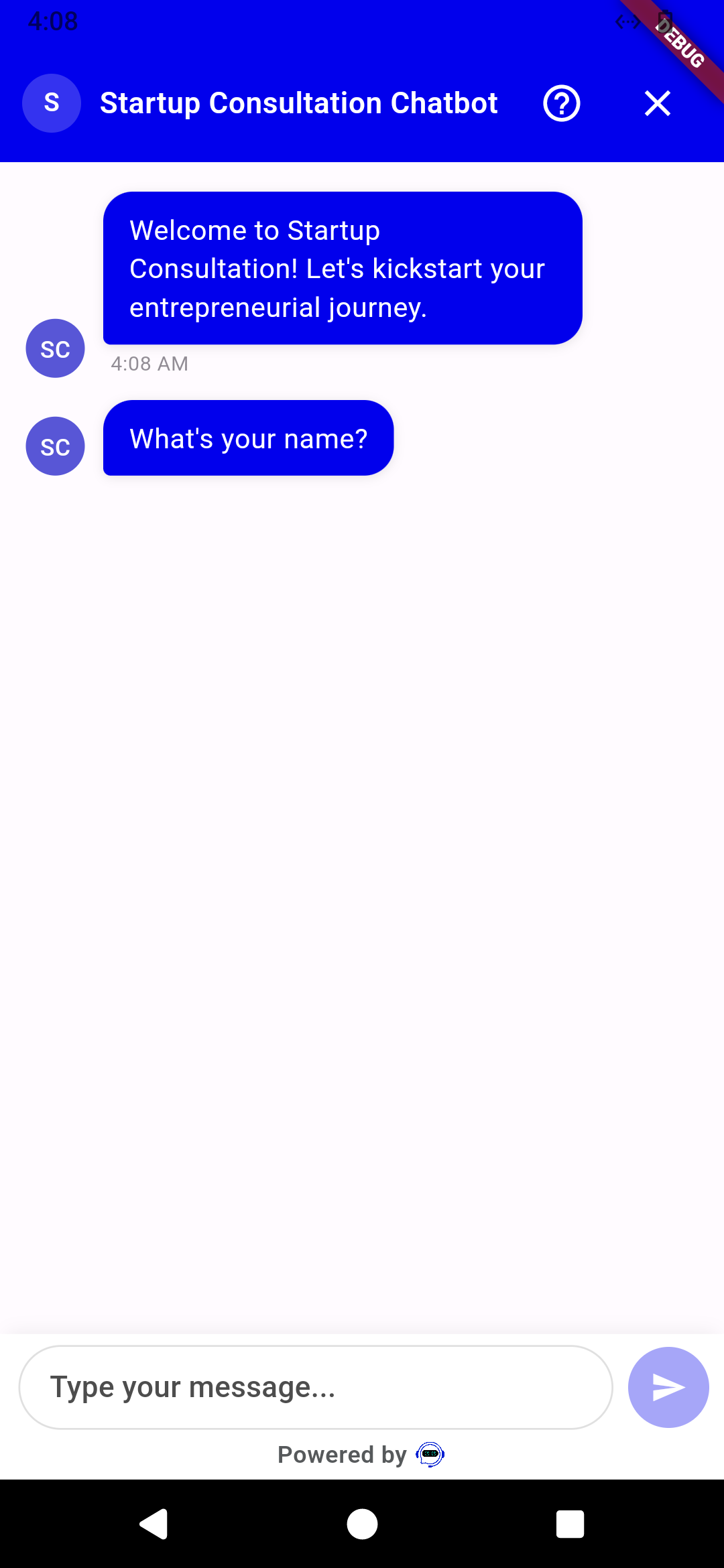
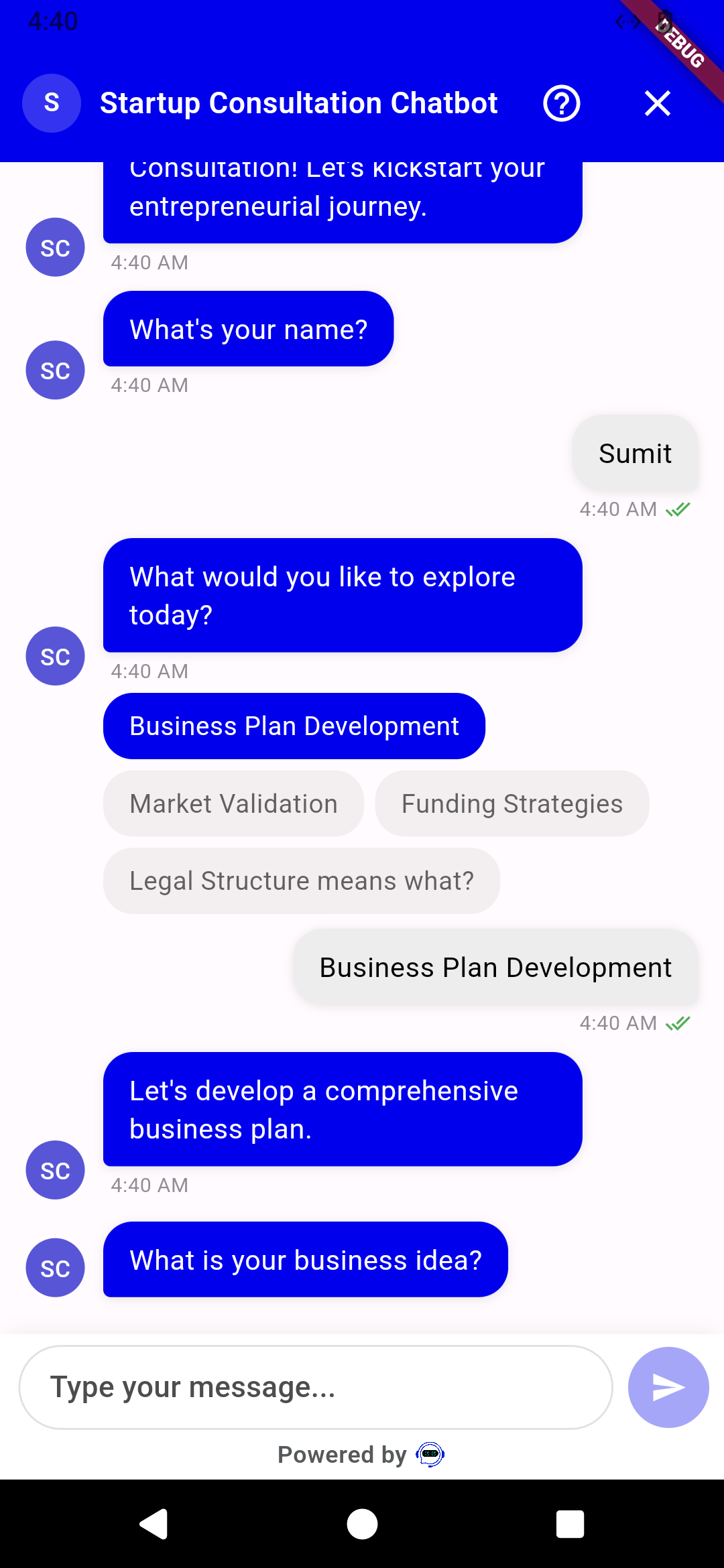
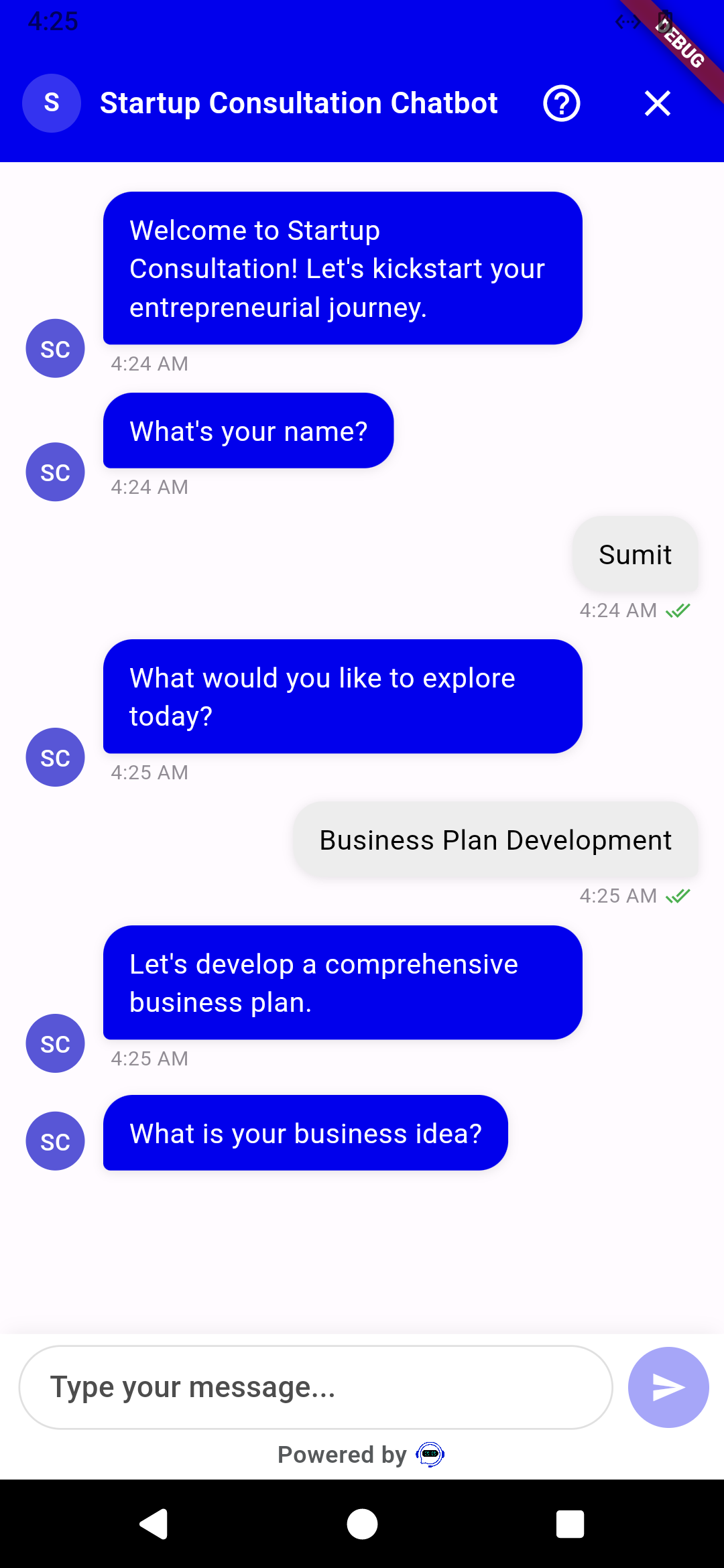
ChatWidget is the complete chat UI: header with bot name and avatar, message list with pagination, all 51 flow node types, offline banner, live agent handover, knowledge base, and the input bar. It calls openChat() on the provider automatically when it appears. Push it as a route whenever you want to show the chat:
Navigator.push(
  context,
  MaterialPageRoute(
    builder: (_) => ChangeNotifierProvider.value(
      value: context.read<ConferBotProvider>(),
      child: const ChatWidget(
        title: 'Support Chat',
        placeholder: 'Type your message...',
      ),
    ),
  ),
);Re-provide on pushed routes
A pushed route is a new subtree, so re-expose the provider with ChangeNotifierProvider.value(value: context.read<ConferBotProvider>(), child: ...) - otherwise you get a ProviderNotFoundException.
Headless usage (custom UI)
ConferBotProvider is a ChangeNotifier and the whole SDK works without any of the bundled widgets:
final provider = context.watch<ConferBotProvider>();

// State
final messages = provider.record;            // List<RecordItem>
final connected = provider.isConnected;
final agent = provider.currentAgent;         // Agent? during live handover
final uiState = provider.currentUIState;     // current interactive node state
final done = provider.isFlowComplete;

// Actions
await provider.openChat();                   // start or resume the session
await provider.sendMessage('Hello!');        // free-text answer / live chat message
provider.submitResponse(choiceValue);        // answer the current interactive node
provider.initiateHandover(message: 'I need a human');
provider.sendTypingStatus(true);
provider.resetConversation();
Remember to call provider.openChat() once (for example in initState) - ChatWidget does that for you, but a custom UI must do it itself. For interactive nodes you can build your own controls from currentUIState (typed states such as SingleChoiceUIState, RatingUIState, CalendarUIState) or reuse the SDK's NodeRenderer. Mid-level building blocks are also exported: ChatHeader, MessageList, SimpleMessageList, MessageBubble, ChatInput, ChatBottomBar, TypingIndicator, ConnectionStatus, OfflineIndicator, Avatar, and EmptyState.
if (provider.currentUIState != null)
  NodeRenderer(
    uiState: provider.currentUIState,
    onResponse: provider.submitResponse,
    theme: provider.serverTheme,
    primaryColor: provider.serverTheme.colors.primary,
  ),
Socket events
Subscribe to the raw real-time events for discrete notifications:
provider.on(SocketEvents.botResponse, (data) { /* bot node arrived */ });
provider.on(SocketEvents.agentAccepted, (data) { /* human joined */ });
provider.on(SocketEvents.agentMessage, (data) { /* agent message */ });
provider.on(SocketEvents.agentTypingStatus, (data) { /* typing */ });
provider.on(SocketEvents.chatEnded, (data) { /* chat closed */ });

provider.off(SocketEvents.botResponse);      // unsubscribe
provider.emit('custom-event', {'k': 'v'});   // raw emit
Useful constants on SocketEvents: botResponse, agentMessage, agentAccepted, agentLeft, agentTypingStatus, chatEnded, noAgentsAvailable, queueStatusUpdate, fetchedChatbotData, connect, disconnect.
User Identification
Pass a ConferBotUser when creating the provider (or to ConferBotFABScope) so conversations are attributed to your logged-in user instead of an anonymous visitor:
ConferBotProvider(
  apiKey: 'conf_test_key',
  botId: 'YOUR_BOT_ID',
  user: const ConferBotUser(
    id: 'user-42',                 // required - your stable user ID
    name: 'Jane Doe',
    email: '[email protected]',
    phone: '+15551234567',
    metadata: {'plan': 'pro'},
  ),
)
On session start the SDK calls POST /session/init with userId set to user.id (or the auto-generated visitor ID if no user was given), so conversations are attributed to your user across sessions. If no user is passed, the SDK generates a persistent anonymous visitor ID (stored via Hive) and reuses it across app restarts.
Honest limitation in 1.0.0
The name, email, phone, and metadata fields are part of the public model but are not yet transmitted to the server by this SDK version. If you need those attributes on the dashboard, capture them in the conversation itself (ask-question nodes or the handover pre-chat form).
Because user is a constructor parameter, switch identities on login/logout by recreating the provider, typically by keying the ChangeNotifierProvider on your auth state. Call clearCurrentSession() first if the old conversation should be dropped.
Theming
The golden rule: server wins
When the widget connects, the server sends the flow builder's appearance settings and the SDK applies them automatically - header colors, bubble colors, chat background, font size, bubble radius, bot name, and avatar. The exact merge in ChatWidget.build:
final effectiveTheme = provider.serverCustomizations != null
    ? provider.serverTheme          // server settings present: they win
    : (widget.theme ?? defaultTheme); // otherwise your theme, then default
provider.serverTheme is built by overlaying the dashboard values on defaultTheme; any color the dashboard leaves empty falls back to the web widget defaults (#1B55F3 bubbles with white text). So:
- Dashboard-styled bot: your local
theme:is ignored for the chat UI. Style the bot in the dashboard. - Unstyled bot or no server data yet (for example, offline before the first fetch): your local
theme:applies. - Otherwise
defaultTheme(light) applies.
The FAB follows the same rule: server bubble settings win over ConferBotFABConfig. If you want your own branding to win, do not set colors in the bot's flow-builder appearance settings; leave them at defaults and pass a local theme.
Dashboard keys the SDK understands: headerBgColor, headerTextColor, botMsgColor, botTextColor, userMsgColor, userTextColor, optionBubbleMsgColor, optionBubbleTextColor, chatBgColor, fontSize, bubbleBorderRadius, botName / logoText, and avatar / logo, plus the FAB keys listed in the floating widget section.
Local themes
// Built-ins
ChatWidget(theme: defaultTheme); // light
ChatWidget(theme: darkTheme);    // dark

// Brand theme: start from a built-in and override
final brand = defaultTheme.copyWith(
  colors: defaultTheme.colors.copyWith(
    primary: const Color(0xFF6366F1),
    headerBg: const Color(0xFF6366F1),
    headerText: Colors.white,
    userBubble: const Color(0xFF6366F1),
    userBubbleText: Colors.white,
    botBubble: const Color(0xFFF3F4F6),
    botBubbleText: const Color(0xFF111827),
  ),
  typography: const ConferBotTypography(messageSize: 16.0),
  borderRadius: const ConferBotBorderRadius(bubble: 20.0),
);

ChatWidget(theme: brand);
ConferBotFAB(theme: brand, child: myApp); // forwarded to the ChatWidget it opens
ConferBotTheme bundles ConferBotColors (26 slots), ConferBotTypography, ConferBotSpacing, ConferBotBorderRadius, ConferBotShadows, ConferBotAnimations, and ConferBotLayout, all copyWith-friendly.
About the customization parameter
The provider also accepts a ConferBotCustomization object (primaryColor, fontFamily, bubbleRadius, headerTitle, enableAvatar, avatarUrl, botBubbleColor, userBubbleColor). It is currently stored but not applied to rendering in this version - use ConferBotTheme for local styling instead.
Live Agent Handover
Handover is triggered by a handover node in the flow, or programmatically:
provider.initiateHandover(message: 'Customer needs billing help');

// During live chat
provider.sendLiveChatTyping(true);   // visitor typing indicator
final agent = provider.currentAgent; // Agent? - who joined
final live = provider.isLiveChatMode;
final typing = provider.agentTyping;
ChatWidget handles the whole lifecycle: an optional pre-chat form (showHandoverPreChatForm), queue status with a maximum wait (handoverMaxWaitMinutes, default 5), an agent header with typing indicator, and an optional post-chat survey (showHandoverPostChatSurvey, results delivered via onHandoverSurveySubmit). Listen for the discrete moments with SocketEvents.agentAccepted, SocketEvents.agentMessage, SocketEvents.agentLeft, SocketEvents.noAgentsAvailable, SocketEvents.queueStatusUpdate, and SocketEvents.chatEnded.
Offline & Persistence
Offline queueing
Built in and on by default (ConferBotConfig.enableOfflineMode). ConnectivityService watches network state via connectivity_plus; outgoing messages sent while offline are queued by MessageQueueService and retried automatically when connectivity returns. ChatWidget shows an offline banner (OfflineIndicator) with the pending count and a retry-all action, and the input placeholder switches to "Offline - messages will be queued". Control the UI parts with ChatWidget(showOfflineIndicator: ..., showDeliveryStatus: ...).
Session persistence (Hive)
On by default (enablePersistence: true). Sessions (messages, flow position, variables) are stored in Hive and restored on restart within the sessionTimeout (default 30 minutes, matching the web widget). The visitor ID persists indefinitely. Requires await StorageService.init() before runApp.
provider.sessionRestored;             // true if a previous session resumed
await provider.persistState();        // call on AppLifecycleState.paused
await provider.clearCurrentSession(); // drop session, keep visitor ID
await provider.clearAllPersistedData();
provider.getStorageStats();           // debug info
Push Notifications (FCM)
The SDK registers a device token you obtain from your own push stack (FCM, APNs, or any provider) against the current chat session:
final token = await FirebaseMessaging.instance.getToken(); // your code
if (token != null) {
  await provider.registerPushToken(token);
}
Signature: Future<void> registerPushToken(String token) - it posts to /push/register with the current session ID and platform. It silently no-ops until a chat session exists, so call it after the chat has been opened. The SDK does not itself integrate Firebase; obtaining the token and displaying incoming notifications are your app's responsibility.
Troubleshooting
The bot does not appear / chat stays empty
The three usual causes, in order of likelihood:
- The bot is not published in the Conferbot dashboard - draft bots serve no flow.
- The
botIdis wrong (it must be the 24-char hex from the dashboard). A wrong ID fails silently with an empty flow. https://wdt.conferbot.comis unreachable from the device or emulator - corporate proxies and emulator DNS issues are the usual culprits. Trycurl https://wdt.conferbot.comor open it in the device browser.
Sanity-check with the public demo bot 691c970890527a0468f9b2c9 (any placeholder apiKey) - if it loads, your integration code is fine.
| Symptom | Fix |
|---|---|
HiveError / persistence crash on startup | Call await StorageService.init() after WidgetsFlutterBinding.ensureInitialized() and before runApp, or disable persistence with ConferBotConfig(enablePersistence: false). |
ProviderNotFoundException | ChatWidget and ConferBotFAB must be below a ChangeNotifierProvider<ConferBotProvider>; re-provide with .value on pushed routes. |
| Local theme colors are ignored | Expected when the bot has dashboard customizations - server settings override the local theme: by design (see Theming). |
| Old conversation keeps resuming | That is session persistence (30-minute window). Call clearCurrentSession() or resetConversation(). |
| Messages "stuck" with a clock icon | The device is offline; messages are queued, not lost. The queue flushes automatically on reconnect. |
| Self-hosted / staging server | Use ConferBotEndpoints.configure(apiBaseUrl: ..., socketUrl: ...) before creating the provider, or pass baseUrl: / socketUrl: per provider. HTTPS is expected. |
Resources
- GitHub repository - source, example app, and issue tracker
- Full usage guide (USAGE.md) - step-by-step tutorial from zero to a themed, identified, event-aware integration
- pub.dev package page -
conferbot_flutter - Mobile SDKs overview - Android, iOS, Flutter, and React Native side by side
The repository's example/ directory contains a complete app demonstrating the drop-in ChatWidget, headless usage, and mix-and-match custom UI, plus persistence debugging. It ships pointed at the public demo bot, so flutter run works with no account.