
iOS SDK (Swift)
Native Swift SDK for embedding Conferbot chatbots in iOS apps. It ships a drop-in SwiftUI ChatView, a UIKit ChatViewController presented with one line, a floating chat bubble (FAB) that mirrors the web widget, and a fully headless mode driven by a delegate protocol and Combine-published state. The full flow-builder node set (choices, buttons, ratings, dates, file uploads) renders natively - no WebView.
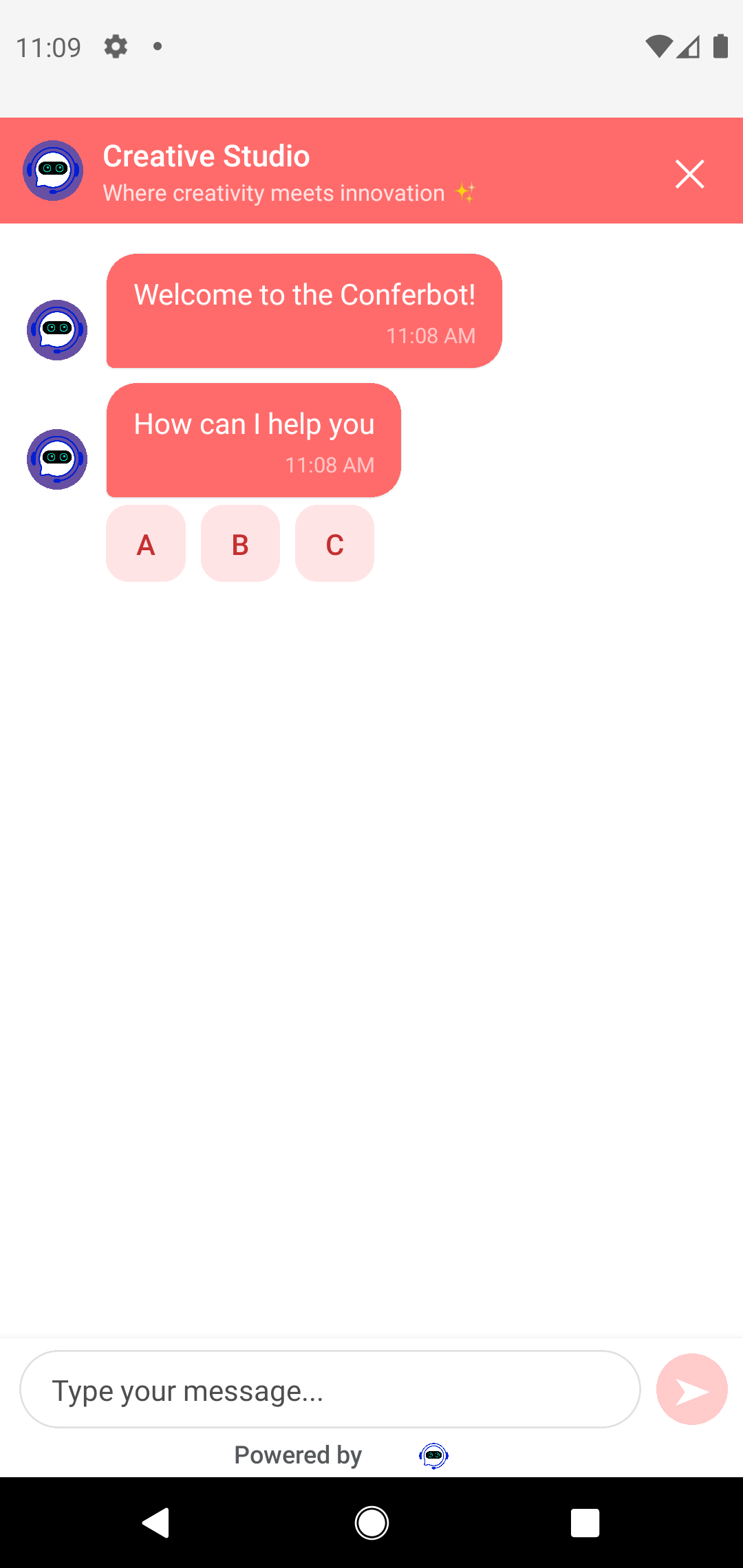
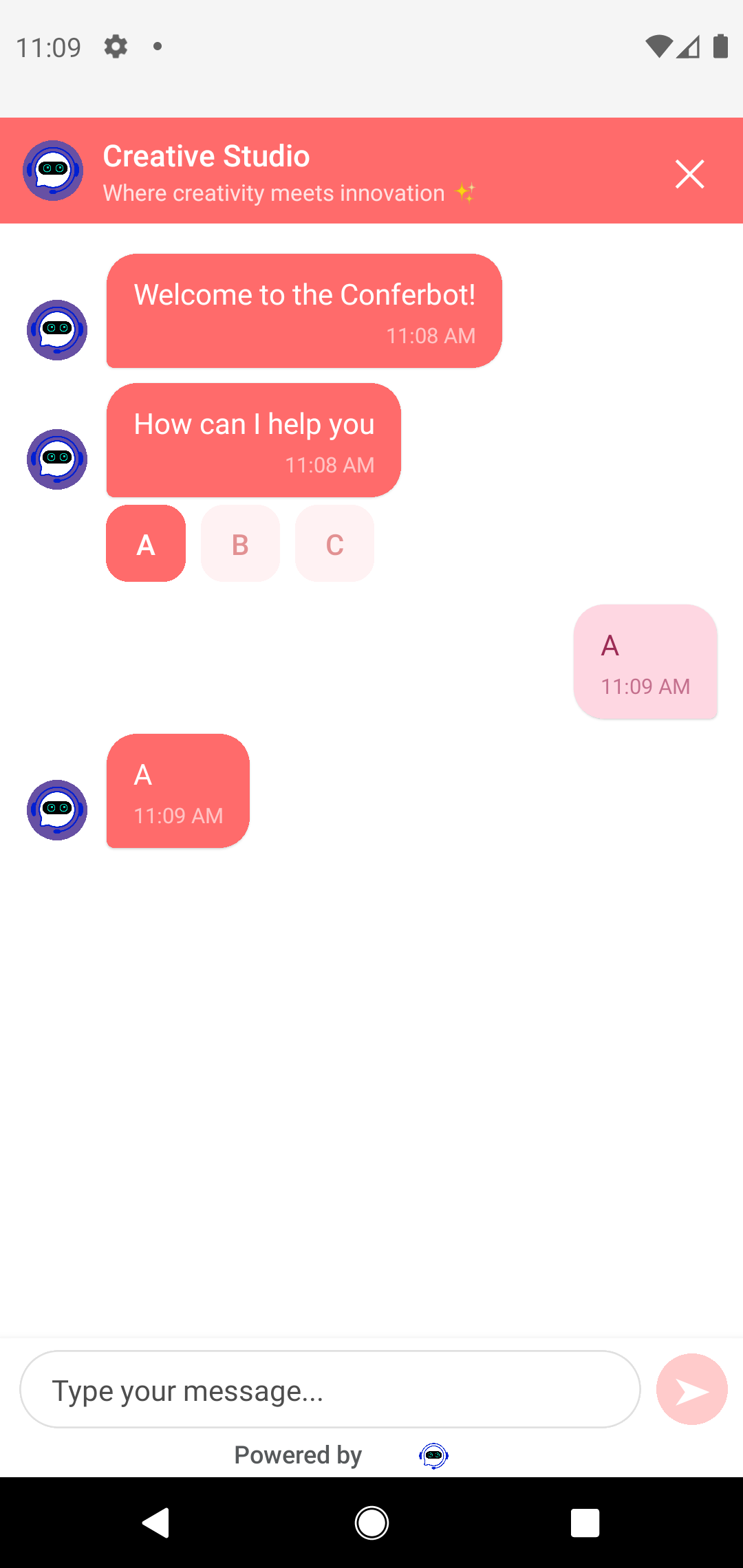
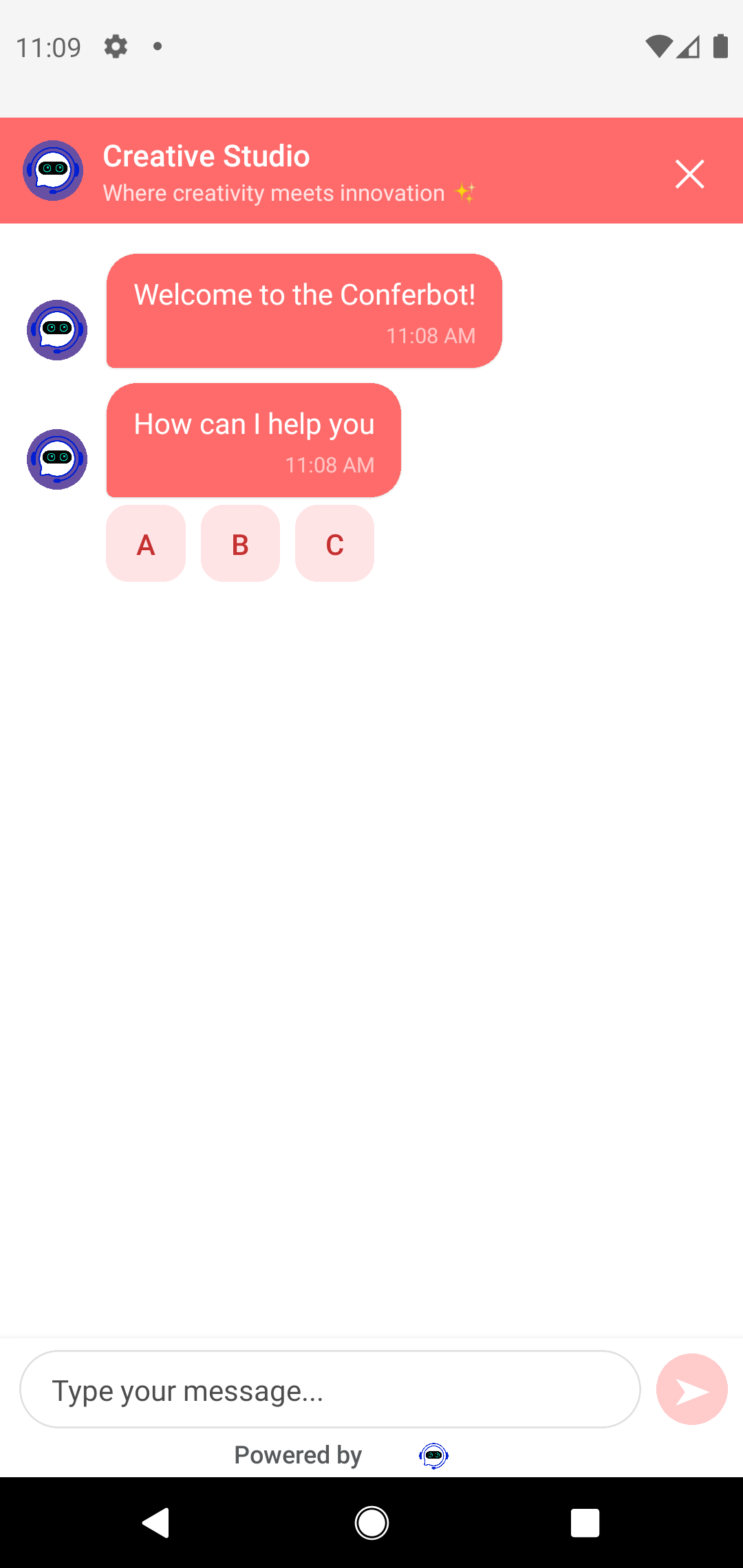
A screen recording is not yet available because it needs a macOS build (Xcode + iOS Simulator) - the screenshots above are from the SwiftUI components.
Requirements
| Dependency | Version |
|---|---|
| iOS | 14.0+ for the SwiftUI/UIKit components (the SPM manifest declares iOS 13 for the core target) |
| Xcode | 14.0+ |
| Swift | 5.7 - 5.9 |
| Socket.IO | socket.io-client-swift 16.x (pulled in automatically by SPM or CocoaPods) |
One version nuance worth knowing: the FAB's vector launcher icons use Path(svgPath:) on iOS 17+ and fall back to a filled system chat-bubble icon on earlier iOS versions.
Installation
Swift Package Manager (recommended)
In Xcode, go to File > Add Packages, paste https://github.com/conferbot/conferbot-ios, and add the Conferbot library to your app target. Or declare the dependency directly:
dependencies: [
    .package(url: "https://github.com/conferbot/conferbot-ios", from: "1.0.0")
],
targets: [
    .target(
        name: "MyApp",
        dependencies: [
            .product(name: "Conferbot", package: "conferbot-ios")
        ]
    )
]
CocoaPods
The podspec (Conferbot.podspec, version 1.0.0) targets iOS 14.0 and depends on Socket.IO-Client-Swift ~> 16.0:
platform :ios, '14.0'
use_frameworks!

target 'YourApp' do
  pod 'Conferbot', '~> 1.0'
endpod installBoth routes resolve socket.io-client-swift 16.x for you automatically.
Initialization
Everything hangs off the singleton ConferBot.shared (note the capital B - the module is Conferbot, the class is ConferBot). Call initialize once, as early as possible in the app lifecycle. It connects the Socket.IO client, fetches your bot's dashboard customizations, and silently restores any still-valid persisted session.
Credentials
The bot ID is the real credential - the 24-character hex ID from Bot Settings > General in the Conferbot Dashboard. The apiKey parameter is only validated locally: any placeholder in the conf_ format works (for example conf_test_key; the iOS SDK requires the conf_ prefix and only logs a warning for unusual-looking keys). It is not your management REST API key - never paste that here. Make sure the bot is published: draft flows are not served to the SDK.
Try it without an account
The public demo bot ID 691c970890527a0468f9b2c9 works without a Conferbot account - drop it into any snippet on this page (with a placeholder API key such as conf_test_key) to evaluate the SDK immediately.
Separate from the REST API
The SDK talks to the widget delivery service at https://wdt.conferbot.com (REST + Socket.IO). This is a different product from the management REST API at api-v2.conferbot.com - the SDK sends no x-api-key header and consumes no API quota.
SwiftUI app
import SwiftUI
import Conferbot

@main
struct MyApp: App {
    init() {
        ConferBot.shared.initialize(
            apiKey: "conf_YOUR_API_KEY",   // any non-empty conf_ key works
            botId: "YOUR_BOT_ID"           // the bot ID is the credential
        )
    }

    var body: some Scene {
        WindowGroup {
            ContentView()
        }
    }
}
UIKit app
import UIKit
import Conferbot

@main
class AppDelegate: UIResponder, UIApplicationDelegate {
    func application(
        _ application: UIApplication,
        didFinishLaunchingWithOptions launchOptions: [UIApplication.LaunchOptionsKey: Any]? = nil
    ) -> Bool {
        ConferBot.shared.initialize(
            apiKey: "conf_YOUR_API_KEY",
            botId: "YOUR_BOT_ID"
        )
        return true
    }
}
With configuration
Pass a ConferBotConfig to control SDK behavior. All options have defaults:
let config = ConferBotConfig(
    enableNotifications: true,                  // default: true
    enableOfflineMode: true,                    // default: true
    apiBaseURL: ConferBotEndpoints.apiBaseURL,  // default: https://wdt.conferbot.com/api/v1/mobile
    socketURL: ConferBotEndpoints.socketURL     // default: https://wdt.conferbot.com
)

ConferBot.shared.initialize(
    apiKey: "conf_YOUR_API_KEY",
    botId: "YOUR_BOT_ID",
    config: config
)
Endpoints and network behavior can also be tuned globally, before initialize (HTTPS is enforced) - useful for a self-hosted embed server:
// Point to a self-hosted embed server
ConferBotEndpoints.configure(
    apiBaseURL: "https://embed.yourdomain.com/api/v1/mobile",
    socketURL: "https://embed.yourdomain.com"
)
// ConferBotEndpoints.resetToDefaults() to undo

// Timeouts and reconnection policy
ConferBotNetworkConfig.configure(
    apiTimeout: 30,
    socketTimeout: 20,
    reconnectionAttempts: 5,
    reconnectionDelay: 1.0,
    reconnectionDelayMax: 5.0
)initialize traps on empty credentials
initialize calls fatalError on an empty API key or an empty bot ID. Any non-empty conf_ key is accepted - the bot ID is the operative credential.
Floating Widget (FAB)
The closest match to the web widget experience: a floating bubble (bottom-right by default) that opens ChatView in a sheet. Tapping the bubble toggles between the launcher icon and a close (X) icon, exactly like the web widget.
import SwiftUI
import Conferbot

struct RootView: View {
    var body: some View {
        TabView {
            HomeView().tabItem { Label("Home", systemImage: "house") }
            OrdersView().tabItem { Label("Orders", systemImage: "shippingbox") }
        }
        .conferBotWidget() // Adds the floating FAB overlay
    }
}
What you get, with zero configuration:
- Bubble color, size, corner radius, position (left/right), and edge offsets from your dashboard's widget settings
- Your chosen launcher icon - all 15 web widget bubble icons are supported natively on iOS 17+; older versions show a filled system chat bubble
- The CTA tooltip (
chatIconCtaText) appears 2 seconds after customizations load and dismisses on tap - An unread badge on the bubble, cleared automatically when the chat opens
Prefer explicit composition over a modifier? Use the underlying container view:
ConferBotWidgetOverlay {
    RootContent()
}
ConferBotFABConfig currently has no options (ConferBotFABConfig() only) - FAB appearance is intentionally server-driven so it always matches your web widget. Change it from the dashboard, not from code. There is no UIKit-native FAB: in a UIKit app, either host ConferBotWidgetOverlay in a UIHostingController, or add your own button that calls ConferBot.shared.present(from: self).
Opening Chat Programmatically
UIKit modal
One line opens a full-screen chat modal wrapped in a UINavigationController:
import Conferbot

class SupportViewController: UIViewController {
    @objc func contactSupportTapped() {
        ConferBot.shared.present(from: self)
    }
}
SwiftUI ChatView
ChatView starts the session itself on first appearance, so no extra wiring is needed. It shows the message list, input bar, typing indicators, and (by default) a Help tab backed by your knowledge base:
struct SupportSection: View {
    @State private var showChat = false

    var body: some View {
        Section {
            Button("Chat with us") { showChat = true }
        }
        .sheet(isPresented: $showChat) {
            ChatView() // ChatView(enableKnowledgeBase: false) hides the Help tab
        }
    }
}
Prefer the knowledge base in a sheet instead of a tab? Use ChatViewWithKBSheet(). And since ChatView is an ordinary SwiftUI view, you can embed it inline in any container:
NavigationView {
    ChatView()
        .navigationBarHidden(true)
}
Headless (custom UI)
Use the SDK as a pure messaging transport and render everything yourself. ConferBot is an ObservableObject with published properties (isConnected, messages, unreadCount, currentUIState, isLiveChatMode, and more), plus an imperative ConferBotDelegate protocol:
import Conferbot

class ChatManager: ConferBotDelegate {
    init() {
        ConferBot.shared.delegate = self
        Task { try? await ConferBot.shared.startSession() }
    }

    func send(_ text: String) {
        Task { try? await ConferBot.shared.sendMessage(text) }
    }

    // Required delegate methods
    func conferBot(_ conferBot: ConferBot, didReceiveMessage message: any RecordItem) { /* update your UI */ }
    func conferBot(_ conferBot: ConferBot, agentDidJoin agent: Agent) {}
    func conferBot(_ conferBot: ConferBot, agentDidLeave agent: Agent) {}
    func conferBot(_ conferBot: ConferBot, didStartSession sessionId: String) {}
    func conferBot(_ conferBot: ConferBot, didEndSession sessionId: String) {}
    func conferBot(_ conferBot: ConferBot, didUpdateUnreadCount count: Int) {}
    func conferBot(_ conferBot: ConferBot, didChangeConnectionStatus isConnected: Bool) {}
}
If your bot uses the flow builder, bot turns arrive as node UI states (NodeUIState, published as currentUIState and delivered via the optional didUpdateUIState delegate callback), not plain text. Answer them through the typed handlers, which also append the user's answer as a bubble and advance the flow:
ConferBot.shared.handleNodeInput("Jane", forNodeId: nodeId)
ConferBot.shared.handleButtonClick(buttonId: "btn-1", forNodeId: nodeId)
ConferBot.shared.handleChoiceSelection(optionId: "Pricing", forNodeId: nodeId)
ConferBot.shared.handleMultipleChoiceSelection(optionIds: ["A", "B"], forNodeId: nodeId)
ConferBot.shared.handleRatingSelection(rating: 5, forNodeId: nodeId)
ConferBot.shared.handleDateSelection(date: Date(), forNodeId: nodeId)
ConferBot.shared.handleFileUpload(fileURL: url, forNodeId: nodeId)

ConferBot.shared.getCurrentNodeId()                     // String?
ConferBot.shared.nodeRequiresInteraction("user-input")  // Bool
ConferBot.shared.resetFlow()                            // restart: new session, cleared state
Observing state reactively works with plain SwiftUI - no delegate required:
struct MyChatScreen: View {
    @ObservedObject var bot = ConferBot.shared

    var body: some View {
        List(bot.messages, id: \.id) { message in
            Text(message.id) // render from your own bubble views
        }
    }
}
User Identification
Call identify(user:) before starting a session so the conversation is attributed to a known user in your dashboard. Only id is required; name, email, phone, and metadata are optional. Skip it entirely and the SDK generates a persistent anonymous visitor ID that survives app restarts.
import Conferbot

func onLogin(_ account: Account) {
    let user = ConferBotUser(
        id: account.id,                 // required
        name: account.displayName,
        email: account.email,
        phone: account.phone,
        metadata: [                     // [String: AnyCodable]
            "plan": AnyCodable(account.plan),
            "orders": AnyCodable(account.orderCount)
        ]
    )
    ConferBot.shared.identify(user: user)
}
On logout, clear the persisted conversation so the next user does not see it:
ConferBot.shared.endSession(clearStorage: true)
ConferBot.shared.clearHistory()
Theming
Two layers style the experience, and they apply to different parts of the UI.
Server customizations (dashboard) - automatic
On every socket connect the SDK fetches the bot configuration (the same customizations object the web widget uses) and publishes it as ConferBot.shared.serverCustomizations. Applied with no client code:
| Dashboard setting | Where it applies |
|---|---|
widgetIconBgColor / headerBgColor | FAB bubble color (icon color first, header color as fallback, default #1b55f3) |
widgetSize, widgetBorderRadius | FAB size and shape |
widgetPosition, widgetOffsetLeft/Right/Bottom | FAB placement |
widgetIconSVG, widgetIconType, widgetIconImage | FAB launcher icon |
chatIconCtaText | CTA tooltip next to the FAB |
hideBrand | Hides "Powered by Conferbot" (server value wins over the local flag) |
botName / logoText | Bot name available to flow nodes |
| Flow content and node data | Everything the bot says and asks |
Local customization (ConferBotCustomization) - chat surface
The built-in chat UI (header, bubbles, avatar) is styled with a local ConferBotCustomization passed at initialization. It can also be swapped at runtime - ConferBot.shared.customization is a public mutable property.
let customization = ConferBotCustomization(
    primaryColor: UIColor.systemIndigo,   // send button and accents
    fontFamily: "SFProText-Regular",
    bubbleCornerRadius: 16,               // default 16 when nil
    headerTitle: "Acme Support",          // default "Support Chat"
    showAvatar: true,                     // default true
    avatarURL: URL(string: "https://example.com/bot.png"),
    botBubbleColor: UIColor.systemGray6,
    userBubbleColor: UIColor.systemIndigo,
    hideBrand: false
)

ConferBot.shared.initialize(
    apiKey: "conf_YOUR_API_KEY",
    botId: "YOUR_BOT_ID",
    customization: customization
)
Precedence, exactly as implemented
- FAB: server-only. No local overrides exist.
- hideBrand:
serverCustomizations["hideBrand"]first, thencustomization.hideBrand, thenfalse. - Header title, avatar, bubble colors, corner radius, primary color: local
ConferBotCustomizationonly. The iOS chat surface does not currently remap dashboard theme colors onto message bubbles, so if you want the in-chat colors to match your web widget, mirror them inConferBotCustomization. - Dark mode: automatic. The built-in UI uses dynamic system colors, so it follows the device appearance.
Live Agent Handover
Hand the conversation to a human agent:
ConferBot.shared.initiateHandover(message: "I need help with billing")Then react to the lifecycle:
ConferBot.shared.isLiveChatMode   // @Published Bool
ConferBot.shared.currentAgent     // @Published Agent?
ConferBot.shared.isAgentTyping    // @Published Bool

// While in live chat, show visitor typing state to the agent console
ConferBot.shared.sendTypingIndicator(isTyping: true)
Delegate callbacks: agentDidJoin(agent:) and agentDidLeave(agent:). Agent messages arrive through the same didReceiveMessage / messages pipeline (HTML from the agent console is stripped to plain text), and the typing indicator is cleared automatically when a message is sent. If no agents are online, the bot flow simply continues - the SDK handles the server's no-agents event internally.
Offline & Persistence
Offline queueing
With enableOfflineMode: true (the default), sendMessage appends the message to the local list immediately, then either sends it over the socket or, if offline, queues it. When connectivity or the socket returns, the queue flushes automatically and the chat room is rejoined (Socket.IO drops room membership on disconnect; the SDK handles the rejoin).
struct ConnectionBanner: View {
    @ObservedObject var bot = ConferBot.shared

    var body: some View {
        if !bot.isOnline {
            Text(bot.queuedMessageCount > 0
                 ? "Offline - \(bot.queuedMessageCount) message(s) queued"
                 : "Offline")
                .font(.caption)
                .frame(maxWidth: .infinity)
                .background(Color.orange.opacity(0.2))
        }
    }
}
Manual controls when you need them:
ConferBot.shared.queuedMessages        // [QueuedMessage]
ConferBot.shared.flushMessageQueue()
ConferBot.shared.retryFailedMessages()
ConferBot.shared.clearMessageQueue()
Delegate equivalents: didChangeNetworkStatus(isOnline:) and didUpdateQueuedMessageCount(count:).
Session persistence
Sessions, messages, flow answers, user metadata, and the transcript are saved automatically and restored on the next initialize while unexpired (the expiry window extends on activity):
// Expiry window
ConferBot.shared.configureSessionStorage(expiryMinutes: 24 * 60)

// Inspect
ConferBot.shared.hasValidStoredSession()   // Bool
ConferBot.shared.getSessionExpiry()        // Date?
ConferBot.shared.hasRestoredSession        // @Published Bool

// Start / reuse
try await ConferBot.shared.startSession()               // reuses a restored session
try await ConferBot.shared.startSession(forceNew: true) // always a fresh conversation

// End
ConferBot.shared.endSession()                    // ends and clears storage (default)
ConferBot.shared.endSession(clearStorage: false) // ends but keeps the stored transcript
ConferBot.shared.clearStoredSession()            // wipe storage without ending
startSession throws ConferBotError.notInitialized if called before initialize. Other error cases from the API layer: .invalidResponse, .httpError(Int), .apiError(String), .noData, and .socketNotConnected.
Push Notifications (APNs)
Request notification permission and register with APNs as usual, then forward the hex device token to the SDK:
func application(
    _ application: UIApplication,
    didRegisterForRemoteNotificationsWithDeviceToken deviceToken: Data
) {
    let token = deviceToken.map { String(format: "%02.2hhx", $0) }.joined()
    ConferBot.shared.registerPushToken(token)
}Token registration needs a session
Registration is sent to the server against the current chat session. If no session exists yet, the token is only held in memory - call registerPushToken again after startSession() to guarantee server-side registration.
Route incoming notifications through the SDK. It only claims its own payloads (those with type == "conferbot_message"), increments the unread count (reflected on the FAB badge and via didUpdateUnreadCount), and returns false for everything else:
func application(
    _ application: UIApplication,
    didReceiveRemoteNotification userInfo: [AnyHashable: Any],
    fetchCompletionHandler completionHandler: @escaping (UIBackgroundFetchResult) -> Void
) {
    completionHandler(ConferBot.shared.handlePushNotification(userInfo) ? .newData : .noData)
}
Troubleshooting
Bot not appearing / no responses?
The three usual causes: the bot is not published (draft bots do not serve traffic), the botId is wrong (a bad ID connects but fails silently - it never receives flow data), or the device cannot reach https://wdt.conferbot.com (VPNs and corporate proxies sometimes block WebSockets). Sanity-check with the demo bot 691c970890527a0468f9b2c9 - if it loads, your integration code is fine and the issue is your bot's configuration or credentials.
Checklist
- Is the bot published? Publish from the dashboard; draft bots do not serve traffic.
- Is the botId correct? Copy it from Bot Settings > General. A wrong ID connects but never receives flow data.
- Is the API key non-empty? Any non-empty
conf_key is accepted (e.g.conf_test_key) - the bot ID is the credential. - Is
https://wdt.conferbot.comreachable from the device? Test in Safari on the same device. - Rule out your setup with the demo bot:
691c970890527a0468f9b2c9works without an account. - Watch connection state:
ConferBot.shared.isConnectedand thedidChangeConnectionStatuscallback. - Session started? Custom UIs must call
startSession(); the built-inChatViewdoes it automatically.
Capture SDK logs
ConferBotLogger.isEnabled = true
ConferBotLogger.logHandler = { message, level in
    print("[\(level.rawValue)] \(message)")
}
Build errors with Socket.IO
rm -rf ~/Library/Developer/Xcode/DerivedData
pod deintegrate && pod install
FAB not styled like the web widget
FAB styling arrives with the fetched-chatbot-data socket event after connect; until then it renders with defaults (blue, bottom-right). If it never updates, the socket is not connecting - check the network and hook ConferBotLogger.logHandler.
Resources
- GitHub repository - source, example app, and issue tracker
- Full usage guide (USAGE.md) - step-by-step walkthrough including knowledge base, analytics, and self-hosted endpoints
- Mobile SDKs overview - Android, Flutter, and React Native